April 28, 2021
.svg)

While other companies rely on Office 365, at zweipunkt we use Google Workspace (formerly Google G Suite). Of course, as a long-standing Google Analytics Certified Partner and now a Google Marketing Platform Partner, it makes sense that we also use Google products internally.
However, when we share content such as a document (gDoc) with our clients and want to ensure that only a specific person has access to the document, that person needs to sign in with their email address.
But: Personal access to Google products can only be granted to Gmail addresses or email addresses that are linked to Google.
We recommend that our clients only grant access to Google Analytics, Google Data Studio, Google Sheets, etc. via personal business email addresses. Why?
For example, when working with an advertising agency, the agency might have been granted access to Google Analytics using a Gmail address such as “sunshine85123@gmail.com”. What’s the problem?
With generic and impersonal email addresses like this, it doesn’t take long to lose track of who actually has access to your data. It may be a private email address, and the person may no longer work for the agency but still have access to your data. Or several people may have access through the same account without this being transparent.
And after six months, will you still know which person or agency is behind sunshine85123@gmail.com?
If access is only granted to personal business email addresses, such as “firstname.lastname@agencyxy.ch”, these problems can be avoided. You have a much clearer overview of who has access to your data.
First things first: It’s very simple. Follow these steps to link your business email address to Google:
1. Go to https://accounts.google.com/signin, select “Create account” and then 2. “For work or my business”. 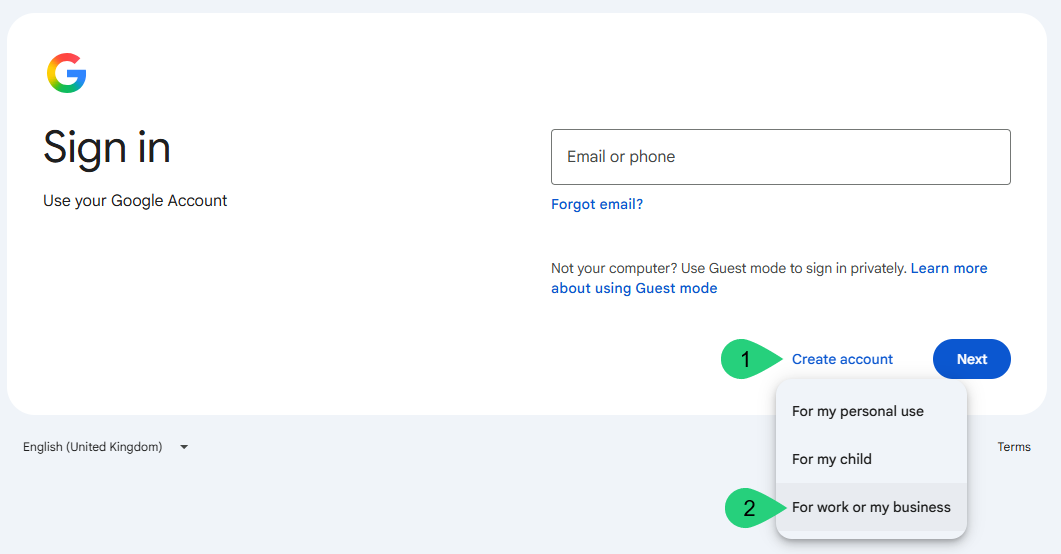
3. Next, select “Get a Gmail address”. 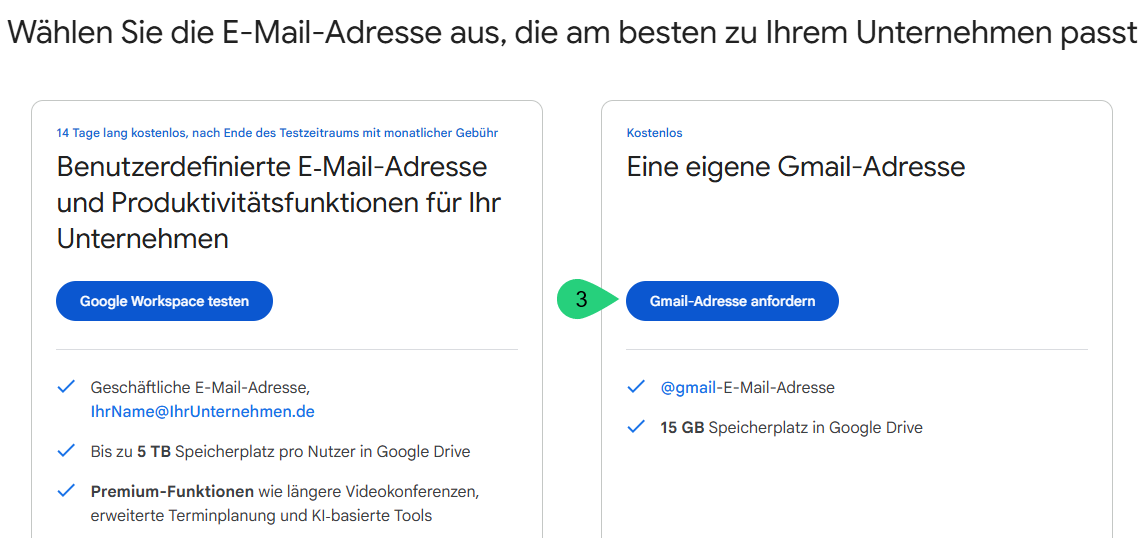
4.enter your name, date of birth and gender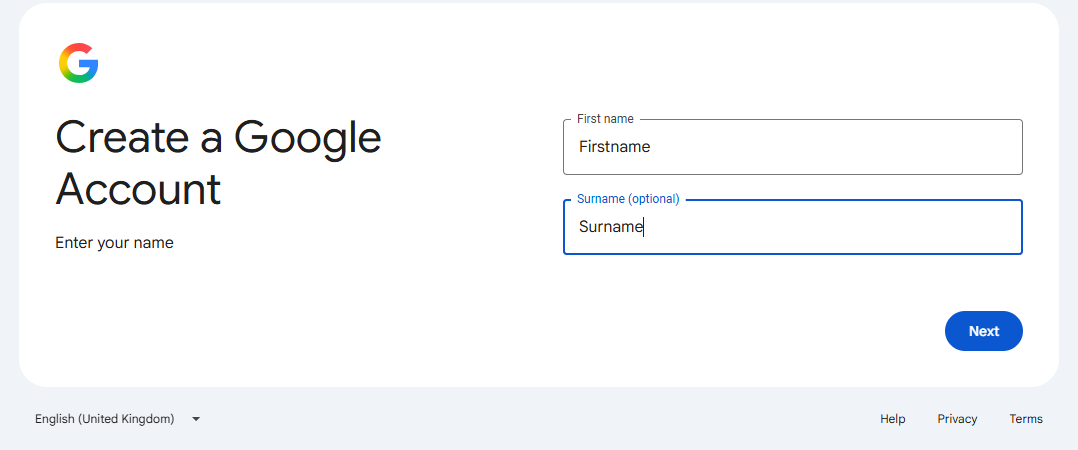
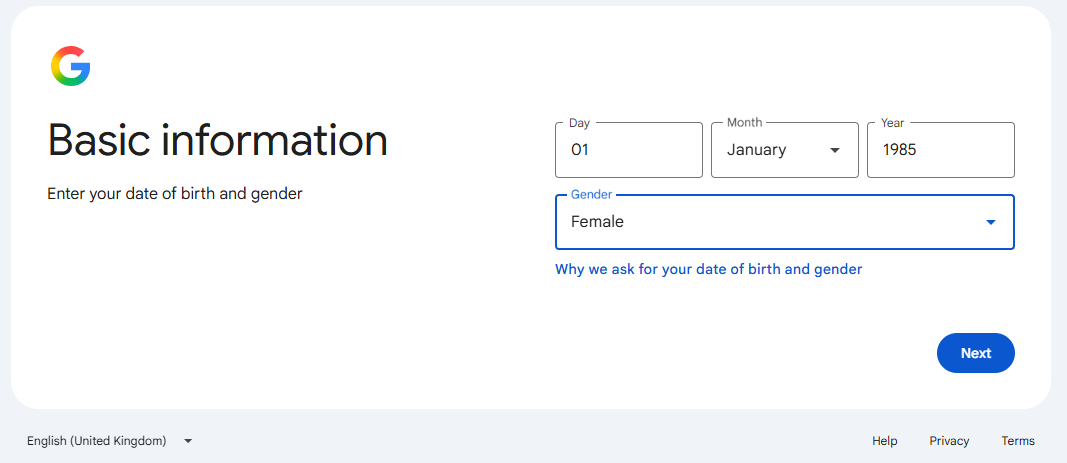
5. Select "Use existing e-mail address"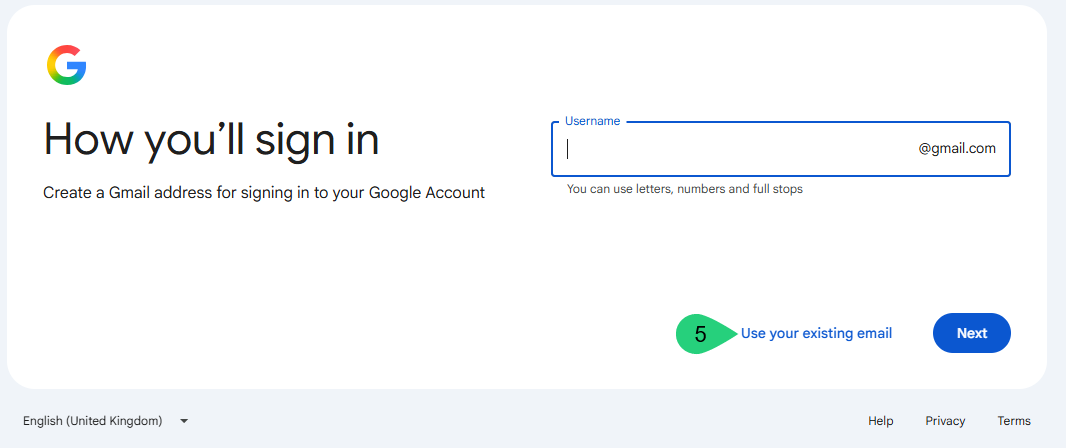
6. Now enter your business email address
7. Google will now send you a code to the email address you entered. You must enter this code in the confirmation field
8. As usual, this is followed by various provisions which must be read and accepted.
9. That's it. Now you can easily log in to all Google services such as Google Analytics, Google Doc, Google Slide etc.
Under this link from Google you will find further details on the subject of registration with email addresses.
Value beyond data.
We accompany you.